01. The product idea
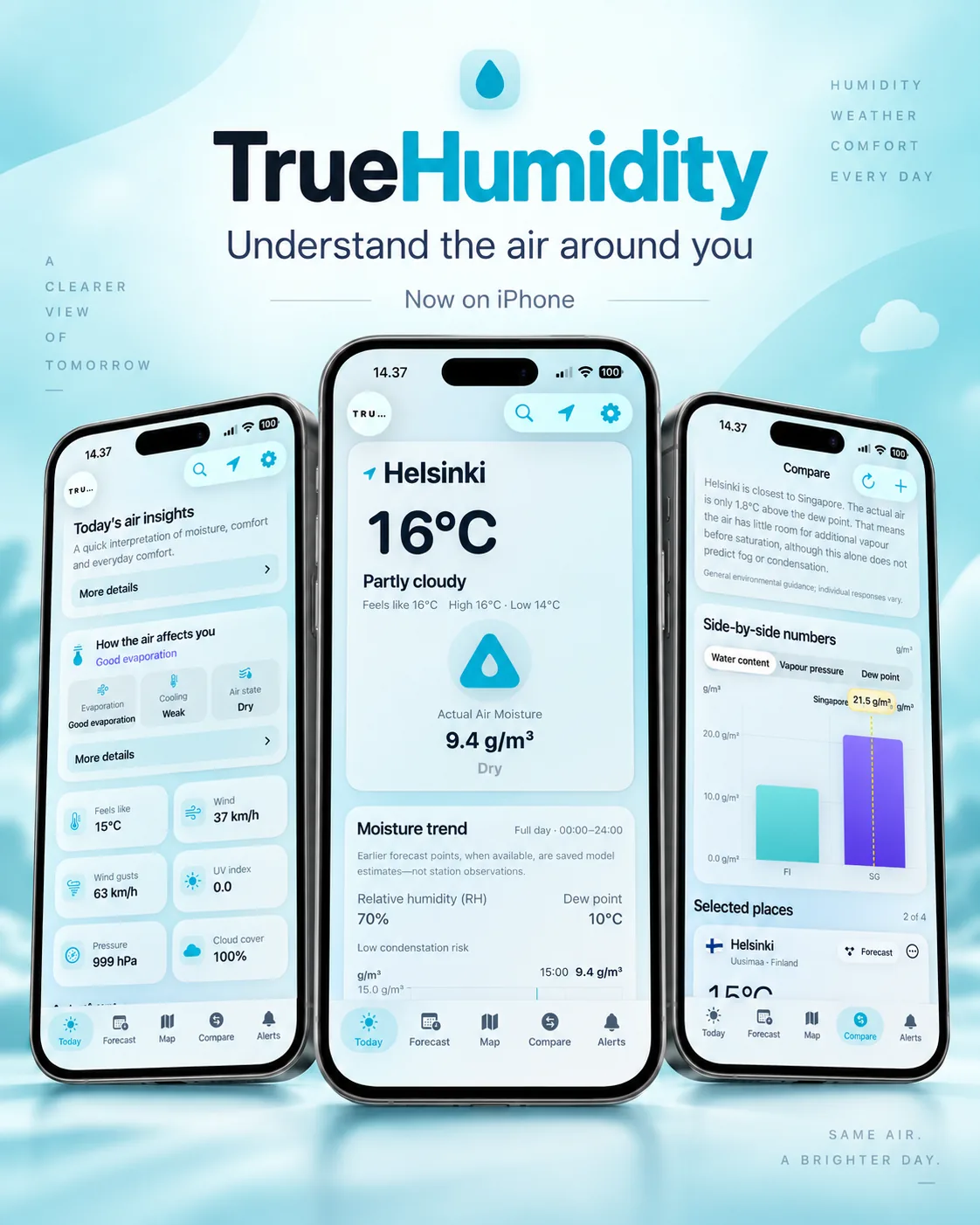
TrueHumidity treats humidity as more than a percentage.
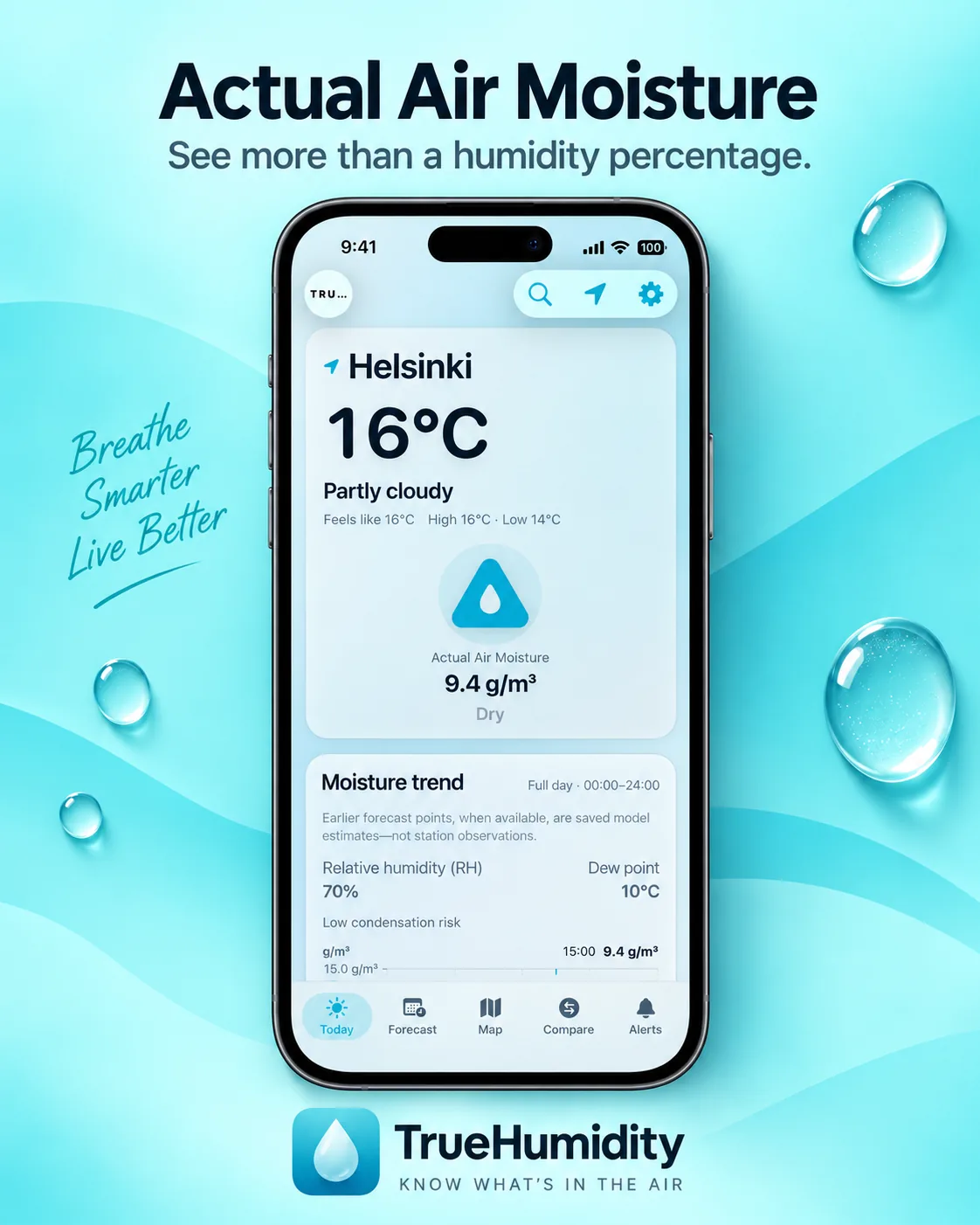
Alongside relative humidity, the app surfaces Actual Air Moisture in g/m³, dew point and vapour pressure so the user can see the amount of water vapour in the air and the relationship between moisture and temperature.
The broader product combines those moisture metrics with current conditions, forecasts, maps, regional precipitation data where supported, comparison between locations, custom alerts, charts and home-screen widgets.
The product principle is straightforward:
show the number → explain the context → identify the source → state the limitation
02. From interface to system
The mobile interface is only the visible layer.
TrueHumidity uses a shared backend to normalize data for both mobile platforms. I built and iteratively developed the server layer with FastAPI and Docker on Oracle Cloud, then connected the apps to shared API contracts rather than making each client reproduce every provider-specific rule.
The architecture can be read as:
iOS + Android → TrueHumidity API → weather, precipitation, warning and place sources
The backend handles tasks such as regional source routing, data normalization, source attribution, caching and preparation of Motion frames.
03. Actual Air Moisture
Relative humidity changes with temperature. That is one reason the same percentage can describe very different amounts of water vapour.
TrueHumidity therefore places actual moisture content alongside familiar weather values rather than hiding it inside a specialist screen.
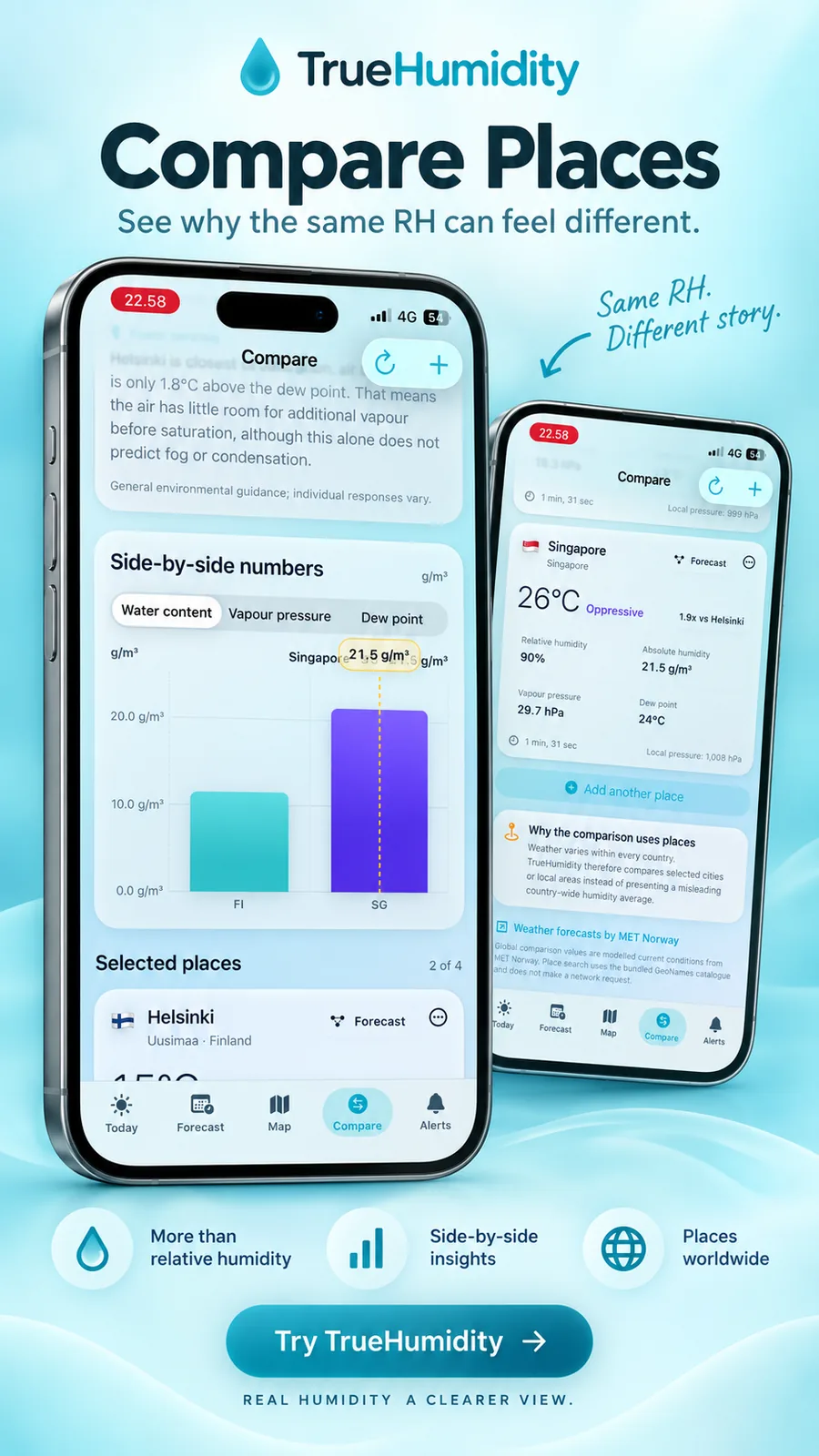
This is also the logic behind the Compare experience. Two places can show similar relative humidity while having very different air moisture, dew point and vapour pressure.
Recommended visual: compare_places_with_truehumidity.png
04. Forecasts with more context
The forecast view combines familiar daily weather with moisture information and deeper day details.
The aim is not to overload the user with every available variable. It is to keep the main forecast readable, then let the user move into detailed values when they need them.
Recommended visual: truehumidity_smarter_forecasts.png
05. Map and precipitation logic
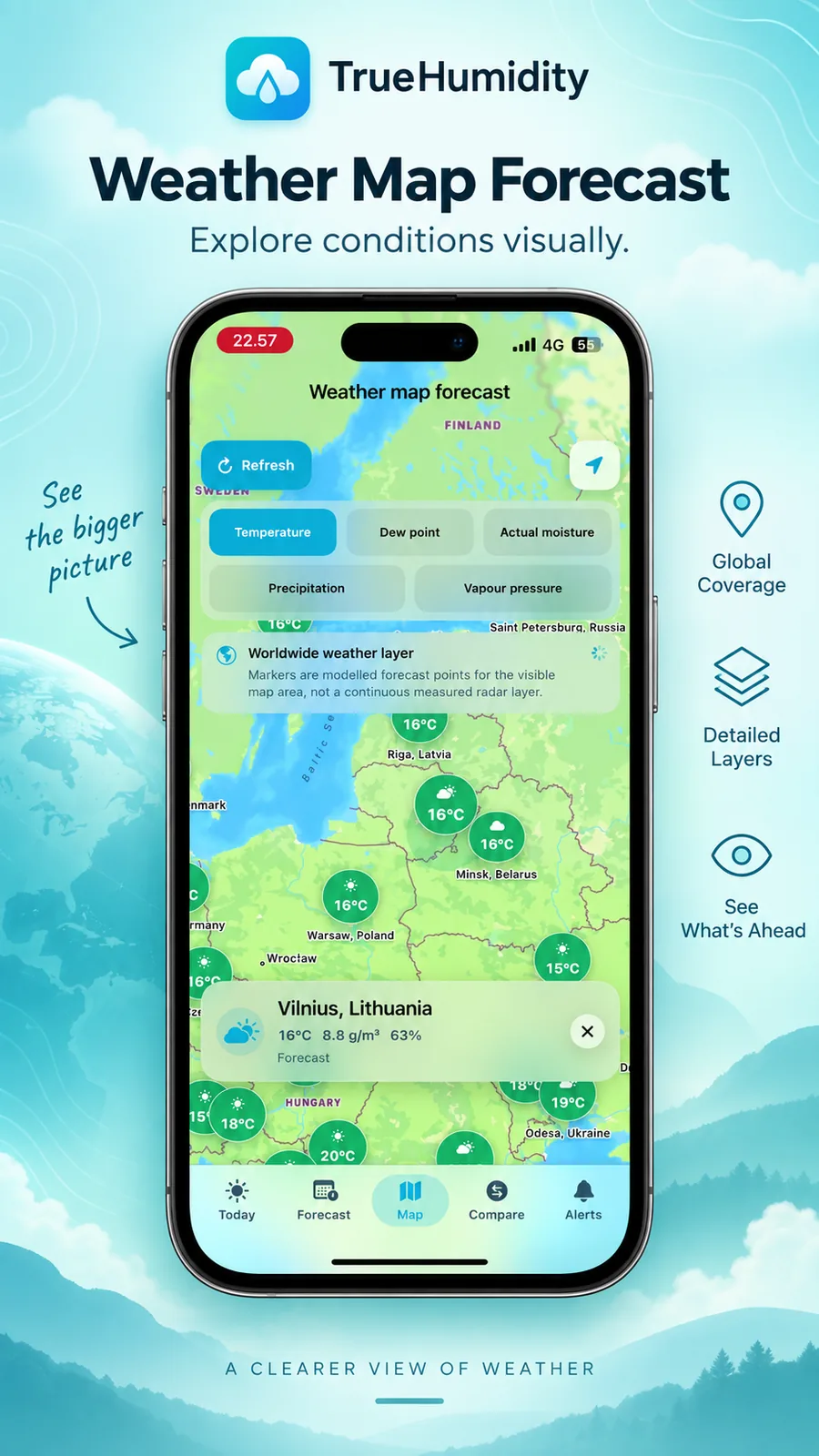
TrueHumidity distinguishes global forecast coverage from regional radar or nowcast coverage.
Where supported regional precipitation sources are available, the product can provide a short-range Motion view based on the appropriate regional source. Where that coverage is not available, global forecast data remains available rather than being mislabeled as observed radar.
The general map also lets the user explore weather and moisture variables geographically.
Recommended visual: truehumidity_weather_map_poster.png
This distinction is important to the product philosophy: a forecast, a radar observation and an inferred nearby condition should not be presented as if they were the same type of evidence.
06. Human-useful interpretation
Raw weather values are useful, but many users still want to know what the combination means.
TrueHumidity includes interpretation layers such as Today’s Air Insight and How the air affects you. These features translate combinations of moisture and weather variables into concise context while keeping the underlying numbers available.
Fog is handled with the same caution. The product separates stronger evidence from weaker inference instead of describing every fog-related signal with the same certainty.
07. Alerts and widgets
The product extends beyond the main screen.
Custom alerts allow the user to define weather or moisture conditions that matter to them. Home-screen widgets surface selected information without requiring the app to be opened.
Recommended visuals:
truehumidity_custom_weather_alerts.pngtruehumidity_widget_preview.png
These features follow the same principle as the rest of the product: useful information should be available at the point where the user needs it.
08. Data-source strategy
A multi-source weather product has a different problem from a single-provider app: data needs to remain semantically consistent even when the upstream systems are different.
The backend therefore routes and normalizes provider data while the product keeps attribution visible. Source selection has been built around publicly available or no-fee production sources where possible, with provider and licence information exposed to the user.
The exact source set can change as coverage, licences and provider services evolve. Current source and policy information belongs on the official TrueHumidity website and inside the product, rather than being frozen into this portfolio page.
09. What I worked on
TrueHumidity became a practical systems project rather than only an interface exercise. My work has included:
- product concept and feature prioritization
- UX decisions and multilingual interface structure
- weather and radar source research
- backend architecture and regional routing logic
- API integration between mobile clients and backend
- data normalization and attribution logic
- caching and Motion playback behavior
- location and comparison workflows
- alert and widget behavior
- repeated testing across regions, devices and edge cases
- release, policy and store-preparation work
Development tools, including AI-assisted coding and review, have been part of the workflow. Product direction, source selection, integration decisions and validation remained my responsibility.
10. Why it belongs in this portfolio
TrueHumidity is outside protective infrastructure, but it demonstrates the same working method visible elsewhere in the portfolio.
The project required mapping multiple data sources, defining a common system model, separating source evidence from interpretation, designing interfaces for different users, handling exceptions by geography and testing whether the end-to-end system behaves consistently.
That is the same type of systems thinking I apply to technical documentation, product data, supply chain and cross-functional project interfaces.
Current product information
For current features, availability, data-source information, support, privacy and terms, use the official TrueHumidity site:
The official product site is the current reference for product status. This portfolio page is intentionally a case study, not a duplicate release page.
Product boundary
TrueHumidity provides general weather and environmental information. Weather, radar, location and forecasts can be delayed or inaccurate and should not be treated as safety-critical guarantees.